BLOG
Airbnb guest screening: spot a party booking before it arrives
 By Nangyal Khan··Updated
 12 min read
Last updated: October 28, 2026
Airbnb guest screening happens in two layers, and you only control one of them. Airbnb runs an automated check on every reservation attempt that looks at the booking details, the guest's account history, your listing and the message thread, and it can block a booking it rates as a higher risk of a disruptive gathering (Airbnb Help Center, article 3280, checked October 28, 2026). Whatever gets past that lands with you. The host's layer is the six red flags covered below: a local guest, a same-day request, a single Saturday night, a brand-new profile, a vague reason for the trip and a guest count that keeps growing. Read them together rather than one at a time, ask three or four direct questions, and decline or cancel on the grounds Airbnb accepts.
What a party booking usually looks like
A party booking is a reservation made for the purpose of holding a gathering larger or louder than the listing allows. Don't expect it to announce itself, and don't read too much into one red flag on its own — a local guest might book a Saturday night simply because their own house is being painted. What you're looking for is a cluster.
| Red flag | Why it matters | What to do |
|---|---|---|
| Guest lives in the same city or region | A stay close to home deserves a question about the reason | Ask what brings them to the area |
| Same-day or next-day request | Leaves little time to talk before arrival | Ask who is coming and why the short notice |
| One night, Friday or Saturday | Worth a closer look when it comes with other flags | Check whether a two-night minimum on weekends suits your market |
| New profile, no reviews, little information | No track record to read | Ask for a short intro; check that the profile is verified |
| Vague purpose ("just a get-together", "a small celebration") | Doesn't tell you how many people are coming | Ask how many people, exactly, and point to the maximum overnight guests in your listing |
| Guest count creeps up, or someone asks about "visitors" | A changing number is worth pinning down in writing | Point to the maximum overnight guests and any visitor request in your listing |
A few softer signals belong on the list too. Someone booking for a friend who will be the one actually staying. Questions about how close the neighbours are, whether there's a speaker system, or whether the garden is "private". A request to bring in extra furniture. None of these proves anything. Two or three together, on a one-night weekend booking from a local profile, should make you slow down. Even then, screening only judges the booking. The night itself needs something in the house, such as the party detector in the All-in-One plan, $299 once, which is covered at the end of this guide.
The questions to ask before you accept
If you take booking requests rather than Instant Book, you get a window to talk. Use it. Keep the questions short and friendly, and ask the same ones of every guest so your screening stays consistent. That consistency matters, because Airbnb's Nondiscrimination Policy bars hosts from declining or cancelling a booking because of a guest's protected characteristics (article 2867, checked October 28, 2026). You're screening the booking, not the person.
These four do most of the work:
- "What brings you to the area?" A clear answer ("my sister's wedding on Sunday", "a conference downtown") settles most doubts on its own.
- "Who will be staying, and how many of you?" Ask for the number in writing. If it later changes, you have a record.
- "Have you read the house rules in the listing, including quiet hours and no events?" Ask them to reply "yes". It feels formal — that's the point.
- "Will anyone be visiting during the stay?" Your listing's maximum counts overnight guests, so this is the question that covers evening visitors. Daytime visitors aren't one of Airbnb's standard rules, so any limit goes in the listing as a request, which guests are encouraged rather than required to follow.
Silence is an answer too. A guest who won't say why they're coming, or replies "does it matter?", has told you something. If your house rules aren't written in a way that makes this conversation easy, start with a vacation rental house rules template that sets out the standard rules and your requests in words a guest can't misread.
What Airbnb's own screening does
Airbnb doesn't leave this entirely to you. Its Community Disturbance Policy says it does not allow "open-invite parties, disruptive gatherings, or other community disturbances during an Airbnb reservation", and that this applies "regardless of size" (article 3345, checked October 28, 2026).
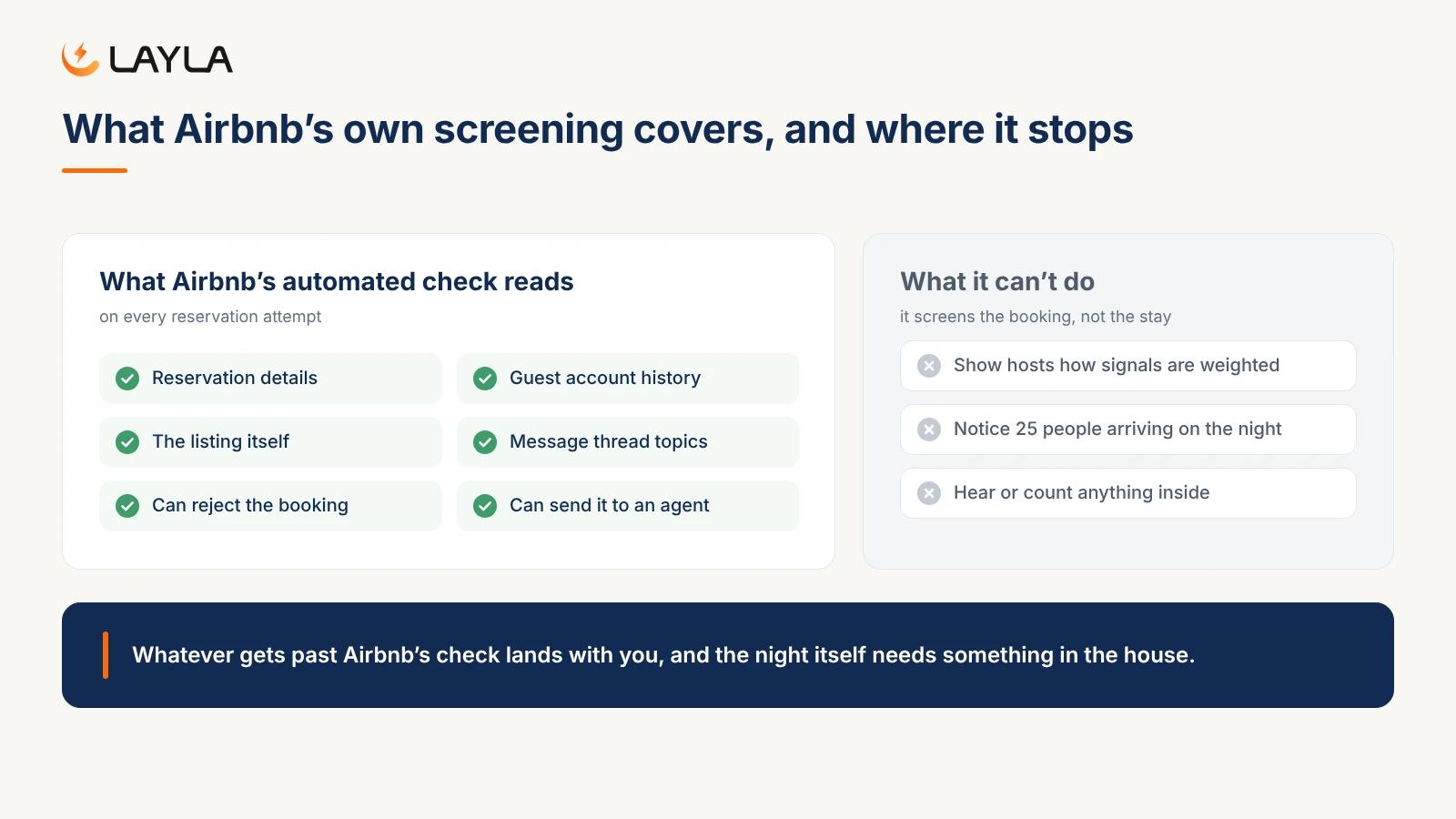
To enforce that, Airbnb runs what it calls a reservation screening system. According to its help article, it uses "automated processes" to look for signals that may include "data related to a guest's reservation, guest's account history, the listing itself, and message thread topics" (article 3280, checked October 28, 2026). When a booking looks risky, three things can happen:
- The reservation is rejected, and the guest is redirected to other stays.
- The guest gets a message asking them to acknowledge Airbnb's policies against disruptive gatherings.
- An Airbnb agent reviews the reservation manually to decide whether it can go ahead.
Airbnb also says it "may block the reservation or even take action on a user's account, including account removal."
The system has limits. Airbnb doesn't publish how the signals are weighted, and the help article says nothing about showing you a risk score. It screens the booking, not the stay, so a guest who books honestly for two and then invites 25 people on the night passes cleanly. And it can't hear or count anything once guests are through the door. Think of it as a filter on the obvious cases. The borderline booking still lands in your inbox.
How to decline or cancel without a fee
Declining a request is the easy case. You haven't confirmed anything yet, so say no politely and move on. A short "Thanks for your interest, but this stay isn't a fit for the listing" is enough. Don't argue, don't accuse.
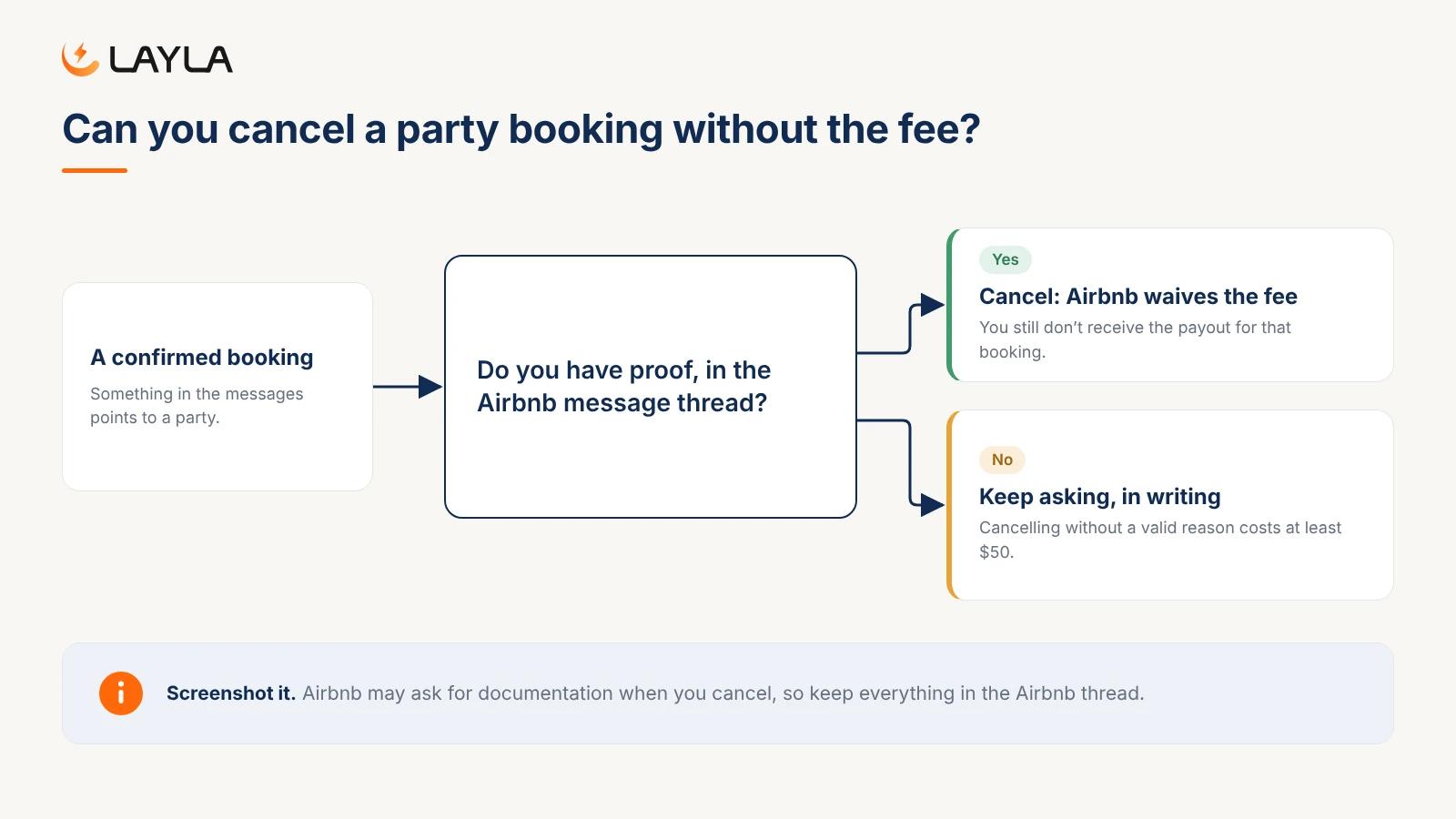
Cancelling a confirmed booking is different, because Airbnb's Host Cancellation Policy (effective October 9, 2023) charges a fee with a $50 minimum. It's 50% of the reservation amount if you cancel 48 hours or less before check-in, 25% between 48 hours and 30 days out, and 10% more than 30 days out (article 990, checked October 28, 2026). You also lose the payout for that booking.
With proof that a guest plans a party, Airbnb waives the fee, but not the payout. The same policy says that "regardless of whether we waive any fees or other consequences, the host will not receive a payout for the canceled reservation." Airbnb's list of valid cancellation reasons includes "proof that a guest intends to break one of the house rules included in the home listing details, have an unauthorized party, or otherwise violate our Party and Events Policy" (article 2022). If you use Instant Book, the same article adds two more examples: a guest who "makes it clear they'll likely break one of the host's house rules", and a guest who "has several unfavorable reviews or a lack of profile information that concerns the host".
Airbnb's October 20, 2026 house-rules update says the same in its own terms: you can cancel without fees if a guest says before check-in that they intend to break a house rule. That covers the seven standard rules, such as events and maximum overnight guests, not requests. A guest who mentions a couple of daytime visitors hasn't given you grounds on that alone.
The word that matters is proof. Screenshot the message where the guest mentions "the party" or asks if 30 people can fit. Airbnb says hosts may be asked to submit documentation when they cancel, so keep it all in the Airbnb message thread rather than moving to text or email.
When you accept anyway
Sometimes the booking is borderline and you take it. A local guest, one night, but a clear reason and a polite reply to every question. That's a fair call. Just set the stay up so a problem shows early instead of at 2 a.m. through a neighbour's phone call.
- Use the check-in message to remind guests of the house rules already in the listing: maximum overnight guests, quiet hours and events. Airbnb says hosts shouldn't write additional rules "elsewhere on your listing, in messages, or on signs in your home" (house rules update, checked October 28, 2026), so the message reminds and adds nothing. Anything beyond the standard rules, visitors included, goes in the listing's "House rules and requests" section as a request (help article 472, checked October 28, 2026).
- Make sure the listing discloses the noise decibel monitor. Airbnb allows these inside the home as long as you disclose them and they aren't in bedrooms, bathrooms or sleeping areas (article 3061, checked October 28, 2026).
- Have a local contact on call that night, someone who can knock on the door within 30 minutes.
- Decide your escalation steps before the weekend: a friendly message, then a firm one, then a call, then the knock.
If a party does start, you want to know while it's still eight people, not forty. That's the gap the screening layer can't close, and it's the job of a monitor inside the home. All-in-One covers it from one small, camera-free sensor: noise levels, radar occupancy, smoke, air quality and AC control, with no subscription. Only need smoke? Smoke & Air Quality, $99 once.
When a neighbour has already complained, the order of what you do next matters; our guide to handling an Airbnb noise complaint from a neighbor walks through it step by step.
Screening stops at the door. The party detector picks up from there.
Screening can only judge what a guest tells you, and a guest who lies well looks exactly like one who tells the truth. What gives the game away is what happens inside: more people than were booked, louder than the hour allows, for longer than a late dinner runs.
Layla's AI party detector watches for exactly that combination. It looks at how many people are inside, how loud it is and what time it is, and alerts you when the three add up to a party rather than a lively evening. Occupancy comes from radar presence sensing that counts people without a camera or image, and noise is a decibel level only, so nothing guests say is ever recorded. You get the alert while there's still time to send a message, and a time-stamped record afterwards if you need to show Airbnb what happened.
The party detector is included in Noise & Security Pro ($179 once) and in All-in-One. For the full picture of what Airbnb's own anti-party measures cover and where devices fit, see Airbnb anti-party technology: what hosts should know.
FAQ
What is Airbnb guest screening?
Airbnb guest screening is the check a reservation goes through before it's confirmed. Airbnb's automated system reviews signals such as the reservation details, the guest's account history, the listing and message topics, and can reject the booking, ask the guest to acknowledge its party rules, or send it to an agent for manual review. Hosts then add their own screening on top.
What does Airbnb's guest screening process check?
According to Airbnb's help article on disruptive gathering risk, the signals "may include, but are not limited to, data related to a guest's reservation, guest's account history, the listing itself, and message thread topics." Airbnb doesn't publish how these are weighted or show hosts a risk score. A risky booking can be blocked, and the guest's account can be actioned or removed.
How do you spot a party booking on Airbnb?
Look for clusters of red flags rather than a single one: a guest who lives locally, a same-day or next-day request, a single Friday or Saturday night, a new profile with no reviews, a vague reason such as "a small celebration", and a guest count that grows or questions about visitors. Two or three together justify asking direct questions before you accept.
Can I cancel an Airbnb booking if I think the guest is planning a party?
Yes, without the cancellation fee, if you have proof. Airbnb lists "proof that a guest intends to … have an unauthorized party" as a valid cancellation reason. Keep the evidence in the Airbnb message thread and be ready to submit it. You still don't receive the payout for that booking, and cancelling without a valid reason adds a fee of at least $50.
What should I ask a guest before accepting a booking?
Ask every guest the same four questions: what brings them to the area, who is staying and how many, whether they've read the house rules on parties and quiet hours, and whether anyone will visit. Clear answers settle most doubts. Asking everyone the same thing keeps screening fair and in line with Airbnb's Nondiscrimination Policy.

Best for: full property coverage
All-in-One
Noise monitoring, smoke detection and smart AC control for complete coverage.
Everything included
Everything in Noise & Security Pro
AI party detector, noise alerts, intruder & break-in, occupancy, 180-day history, indoor + outdoor climate
Everything in Smoke & Air Quality
Air quality index (IAQ), CO2, bVOC, mold & smoke — full indoor + outdoor climate
Everything in AC Control & Energy
Smart AC (150+ brands), Eco Mode, schedules, filter health
Plus exclusive
- Advanced reports & insights
- Priority support
- Priority support
No monthly fees. Ever.
One sensor. Full coverage
One sensor. Full coverage.* Layla 3.0 monitors noise, air quality, motion, occupancy, temperature, humidity, pressure, VOCs, CO2, and controls your AC - from a single device on your shelf.
No subscription means no surprise costs.
Pay once. Every feature unlocked. Forever. No monthly fees eating into your rental margins or household budget.
The smartest buy is the one you make once.
Other solutions charge per-feature monthly subscriptions that exceed the device cost within a year. Layla's all-in-one pays for itself compared to any subscription alternative.
30-day money back guarantee