BLOG
How to disclose a noise monitor on Airbnb: wording you can copy
 By Nangyal Khan·
7 min read
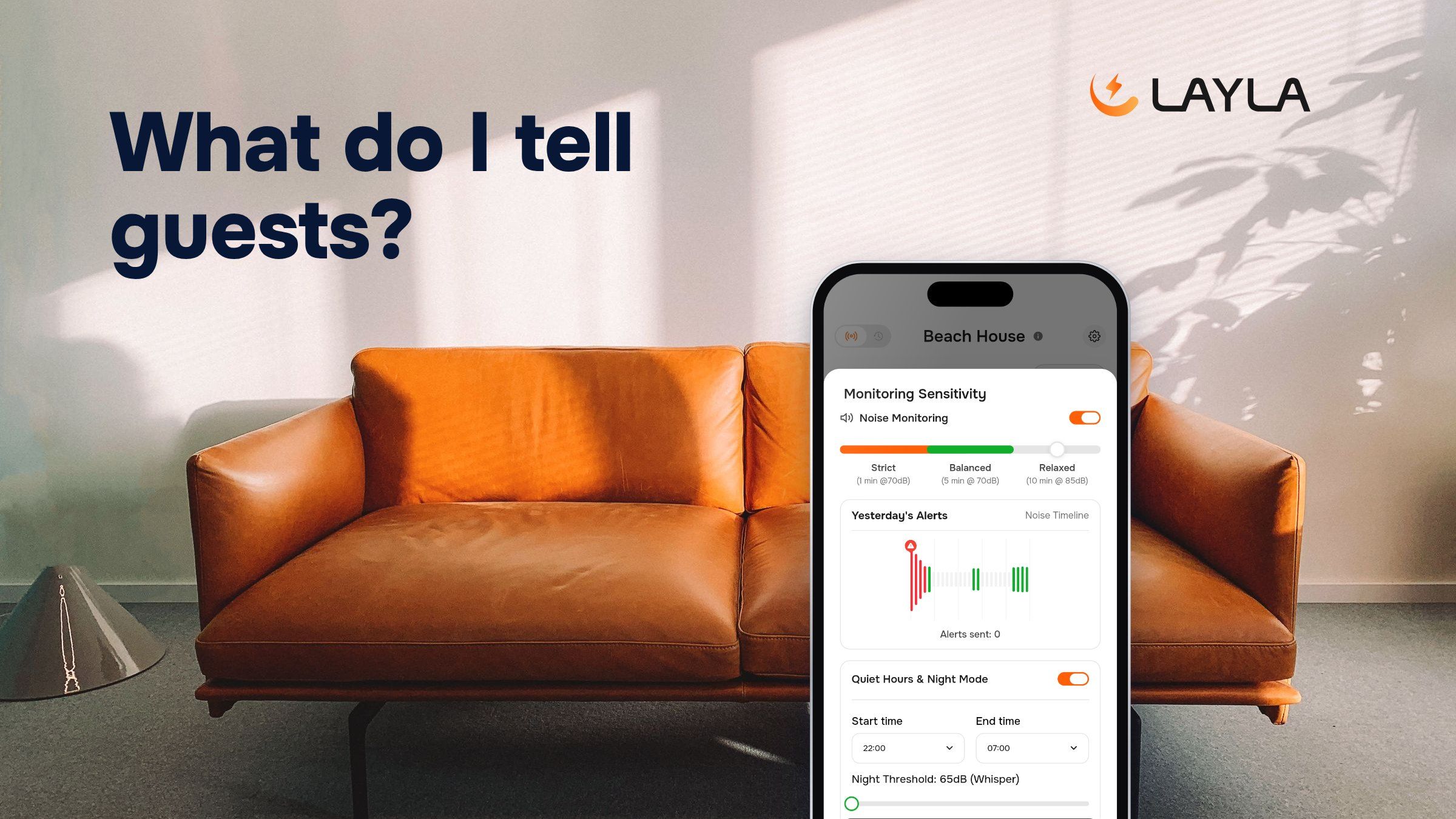
Yes, you can use a noise sensor in your Airbnb. Airbnb allows noise decibel monitors inside the home as long as you tell guests the monitor is there. You don't have to say where it is, and it can never go in a bedroom, bathroom or sleeping area (Airbnb's help page on devices, rules in effect since April 30, 2024). A monitor like Layla only measures how loud it gets, in decibels, with no audio recorded and no camera. So your disclosure can be one short, true line. This guide gives you that line, where to put it, and what to say when guests ask.
For the wider rules on cameras, outdoor devices and other sensors, see our guide on whether monitoring sensors are allowed in an Airbnb. This post sticks to the wording and the setup.
What do you have to disclose about a noise monitor?
Airbnb calls these devices noise decibel monitors: they measure how loud it is and for how long, without keeping any audio. Under its rules, you must:
- Say the monitor is there. Its presence has to be in your listing.
- Keep it out of private rooms. Never in bedrooms, bathrooms or sleeping areas.
- Skip the location if you like. Airbnb does not ask you to say where it is.
Cameras are another matter: Airbnb does not allow security cameras or other devices that capture audio or video to monitor any part of a home's interior. That is why it helps to say what your monitor measures, not just that it exists. For Layla, that means two things: how loud it gets, in decibels, and how many people are inside. Layla counts people but never knows who they are. For both, one sensor covers most small apartments, so a shared living room is usually the only place you need one.
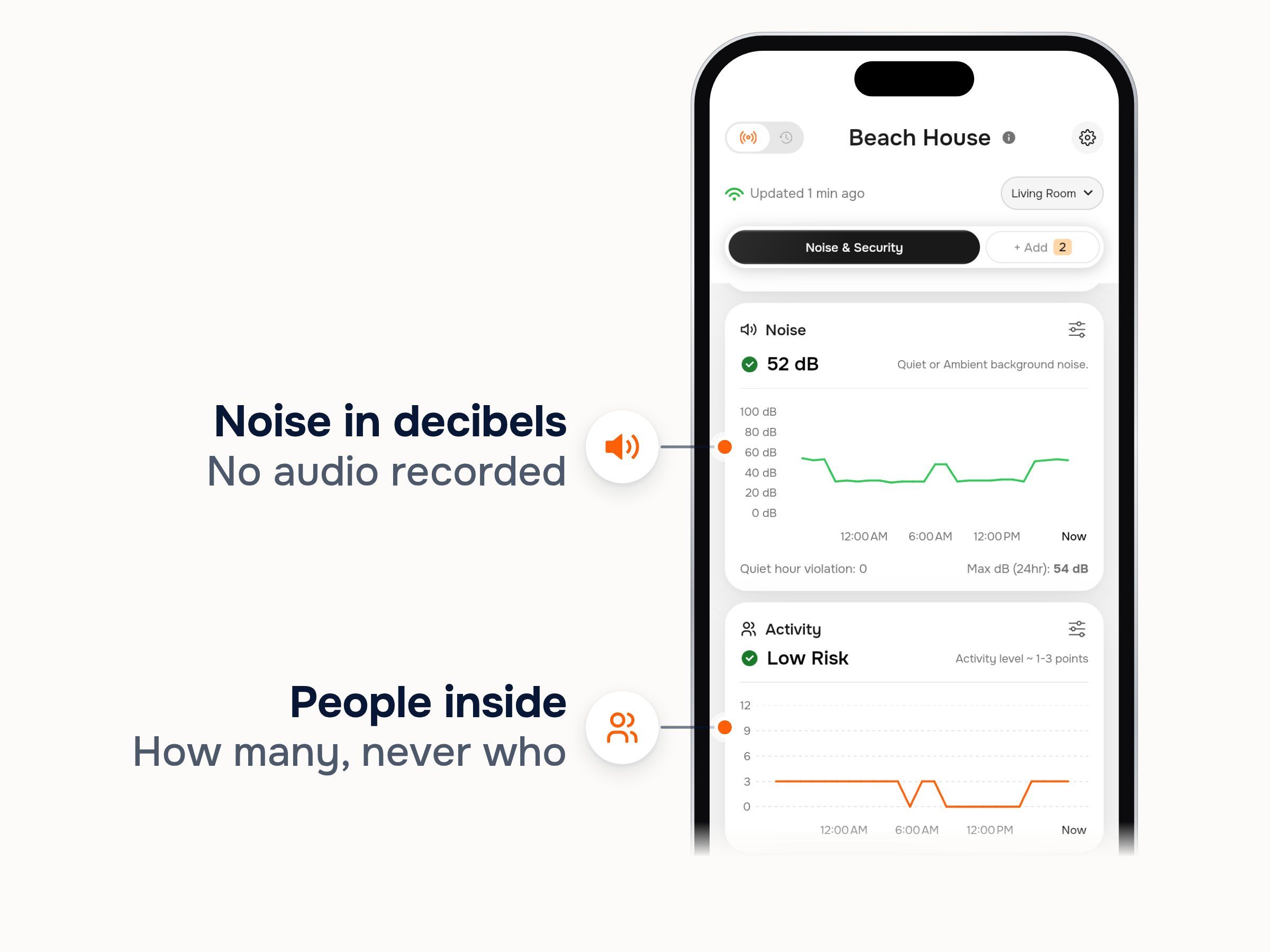
Layla's live readings for the Living Room: noise in decibels and how many people are inside
Those two numbers are everything your disclosure has to describe. A guest who reads "it measures noise levels in decibels and counts how many people are inside" knows the whole story.
What should your disclosure say? Wording you can copy
Here are three lines, one for each place a guest reads. Each one is true of Layla, so you can paste it as it is.
1. For your listing:
This home has a noise monitor in the living area. It measures noise levels in decibels and counts how many people are inside, never who. No camera, no audio recorded.
2. For your house rules:
Quiet hours are 10 pm to 7 am. A noise monitor in the living area lets us know if noise stays high during those hours. It measures decibels only, with no camera and no audio recorded.
3. For your welcome message:
Welcome! Just so you know, there's a small noise monitor in the living area. It only measures how loud it gets, in decibels, and how many people are inside. No camera, no audio. Enjoy your stay, and please keep it down after 10 pm for the neighbors.
Change the quiet hours to your own. If your area or building sets them, use those times. Our guide to quiet hours for vacation rentals covers the usual window, and the house rules template shows where the line fits among your other rules.
A note on tone. Keep it plain and friendly. Explain why the monitor is there (the neighbors, quiet hours) instead of warning guests what happens if they break a rule. Use the words that describe what the device does: "measures noise levels in decibels", "no audio recorded", "no camera", "counts how many people are inside, never who". Avoid words that suggest someone is hearing or seeing guests. They are not true of a decibel monitor, and they worry guests for no reason.
Where do you put it on Airbnb?
Disclose it once in the listing editor, then repeat the same line in the two places guests actually read before and during their stay.
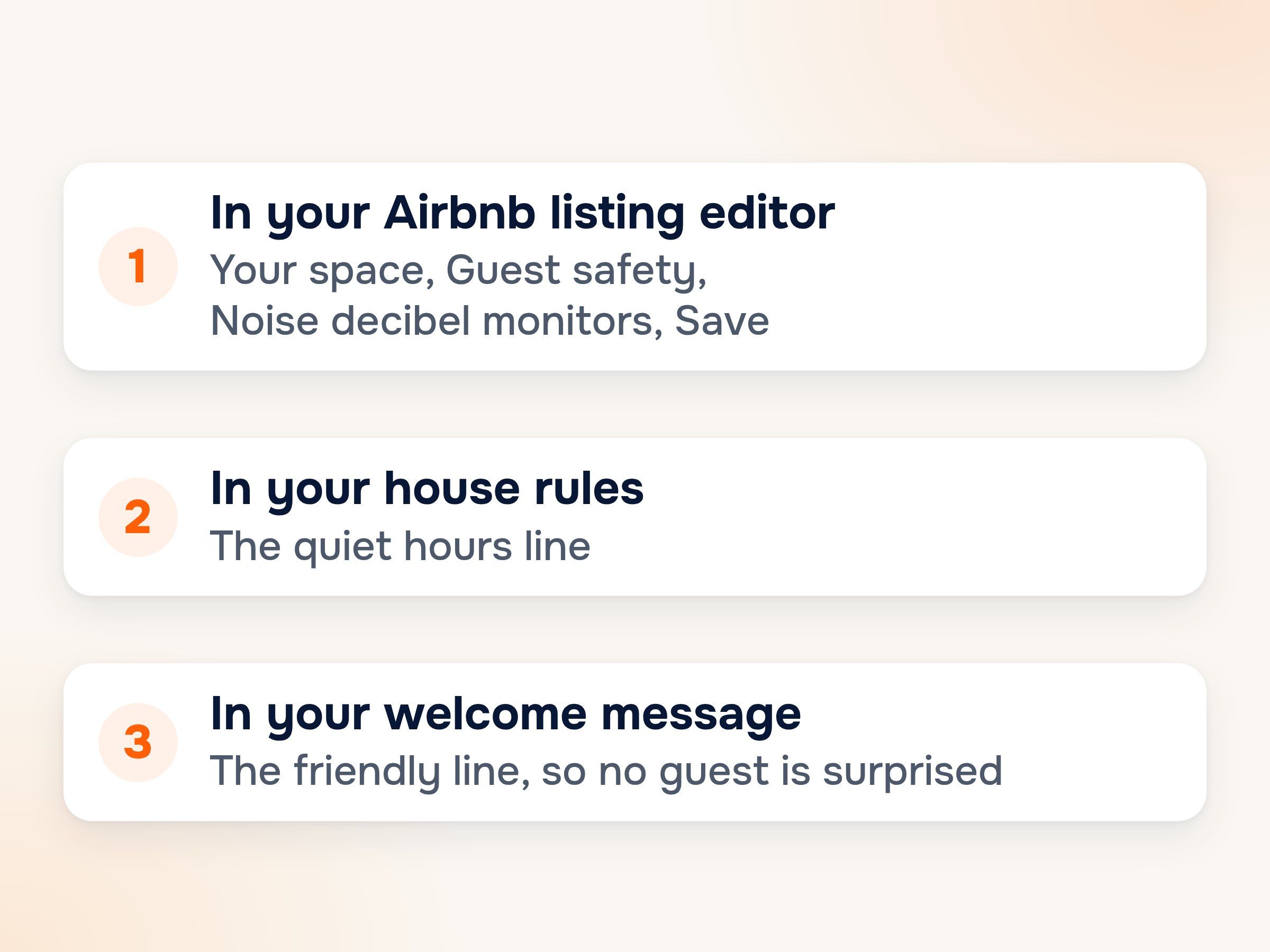
The three places your noise monitor disclosure goes
- The listing editor. According to Airbnb's help page, open your listing, go to Your space, then Guest safety, then Noise decibel monitors, and save. Some listings show this as Safety devices instead: check Noise decibel monitor present and describe the device in the box. Airbnb changes its menu names from time to time, so if you can't find these, check the help page for the current path.
- Your house rules. Paste the quiet hours line, so guests see why the monitor is there next to the rule it supports.
- Your welcome message. Send the friendly line before check-in, so nobody is surprised when they spot the sensor.
The listing editor is what Airbnb requires. The other two are what keeps guests from feeling caught out.
What do guests ask about a noise monitor, and how do you answer?
Most guests never ask. When they do, one true sentence each is enough.
"Does it record what we say?" No. It only measures how loud it is, in decibels. No audio is recorded.
"Is there a camera?" No. There is no camera in it.
"Where is it?" You don't have to say, but you can: "It's in the living room, never in a bedroom or bathroom."
"Does it know who we are?" No. It counts how many people are inside, never who. It's anonymous.
"What happens if we get loud?" I get an alert if noise stays over the limit I set, and I'll send you a message. That's all.
That last answer is exactly how it works. You choose when Layla alerts you: Strict (70 dB for 1 minute), Balanced (70 dB for 5 minutes) or Relaxed (85 dB for 10 minutes). You also set a night limit for quiet hours, from 65 to 75 dB. If the living room reaches 72 dB at 11:40 pm against a 65 dB night limit, what reaches your phone is a number, a room and a time. You decide what to do next, usually a polite message to the guest. You can read more about how Layla's noise alerts work.
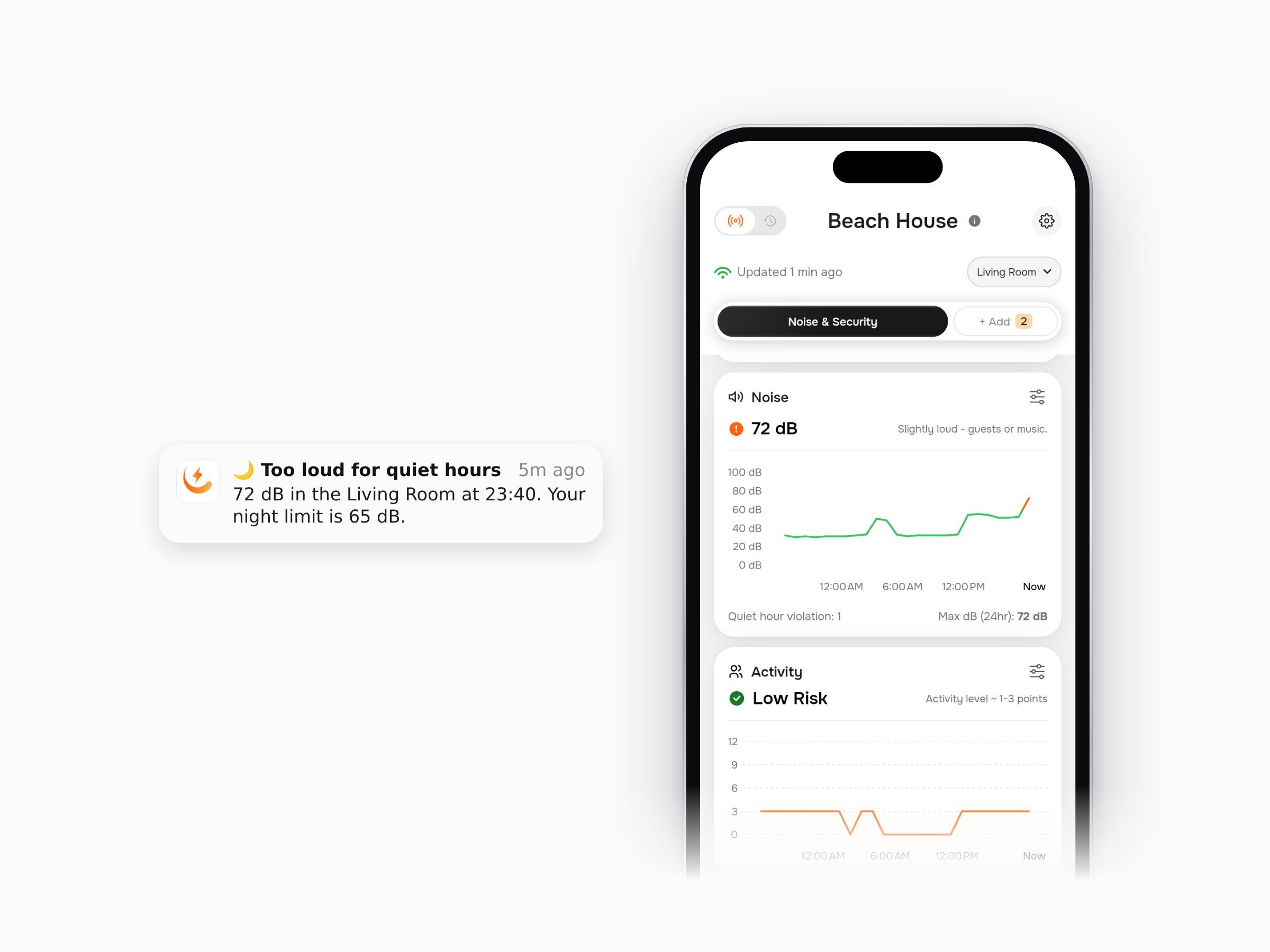
Layla's quiet hours alert: a number, a room and a time, never a recording
Which noise monitor makes disclosure easy?
The easiest monitor to disclose is one that only measures what you are telling guests about. Layla measures noise levels in decibels and counts how many people are inside, with no camera and no audio recorded. So every line above is simply true, and you never have to soften or explain it. Airbnb allows disclosed noise decibel monitors, and Layla is one.
Two plans cover a rental's noise, both one-time prices with no subscription:
- Noise & Security Pro, $179 once. Everything you need to back up your house rules: live readings in real time, the AI Party Detector (it alerts you when noise and a crowd build at the same time), charts for the last 30 days, incident reports for the last six months, and security alerts when the home should be empty. It's the plan we recommend for most hosts.
- Noise Basic, $149 once. For hosts starting out: noise levels, the people count and crowd alerts when more guests are inside than you allow, with 7 days of history.
Comparing other monitors before you buy? Our guide to the best noise monitor for Airbnb puts the main options side by side.

Best for: serious hosts
Noise Pro
Compliant with Airbnb's rules and local noise laws worldwide. Advanced protection for serious hosts.
Included forever – no subscription
- AI party detector
- Instant noise alerts with timestamps
- Live data feed, no 5-minute delay
- 180-day data history
- Radar intruder & vacant-home alerts
- Property status dashboard
- Outdoor temperature & humidity
- Automatic AI accuracy updates
- Daily & weekly summary reports by email
No monthly fees. Ever.
Your indoor air is 2-5x more polluted than outdoor air.
The EPA confirms it, but most people have no idea. You spend 90% of your time indoors breathing air you've never measured.
CO2 builds up silently.
A bedroom with two people can hit 2,500 ppm overnight. Harvard research shows decision-making drops 50% at 1,400 ppm. That brain fog and morning fatigue? It might not be bad sleep - it's bad air.
VOCs are off-gassing in every room.
New furniture, carpets, paint, cleaning products indoor VOC levels run up to 10x higher than outdoors. Some, like formaldehyde and benzene, are classified carcinogens. You can't smell most of them.
Mold starts in 24 hours.
When humidity exceeds 60%, mold begins colonizing within a day. 47% of U.S. homes show visible mold. Average remediation cost: $2,368 severe cases hit $30,000. A sensor that warns you before mold starts is orders of magnitude cheaper than cleanup.
Standard smoke detectors only catch fires.
They don't detect cigarette, vape, or marijuana smoke at low levels. For landlords and hosts, unauthorized smoking causes damage that goes unnoticed for weeks.
Post-COVID, people want data.
66% of Americans are more cautious about indoor air since the pandemic. 61% say they'd trust a space more if it monitored air quality. The awareness shift is permanent.
30-day money back guarantee